

Description
Download VlogEasy APK – vlog editing, automatic jump cut, video editing app, vlog maker, free video editor, DSLR footage, 4K video, mobile editing, content creation, vlogging tool
Overview
VlogEasy is a mobile video editing application designed to streamline the content creation process for vloggers and amateur video producers. The app aims to reduce the time and effort required to edit videos by offering an automatic jump-cut feature that processes footage with minimal user input. This functionality allows users to transform raw recordings into polished, professionally edited clips in seconds rather than hours. The software is particularly suited for creators who prioritize speed and simplicity without sacrificing control over the final output.
Target users include social media content creators, independent filmmakers, and hobbyists who record vlogs using DSLR cameras or smartphones. The app supports the import of high-resolution 4K footage, making it suitable for creators who demand quality output. VlogEasy is currently in beta, which indicates that the software is under active development and may include occasional bugs or performance inconsistencies. Despite this, the core editing tools—such as trimming, duplicating, rearranging, cropping, deleting, and remaking video segments—are accessible through an intuitive interface, enabling users to refine their edits with precision.
The developer, VlogEasy Inc., has positioned the app as a lightweight, accessible solution for mobile video editing. Real-world usage scenarios include quick turnaround content for platforms like YouTube, Instagram, and TikTok, where timing and engagement are critical. The app’s focus on automation and user-friendly navigation suggests it is ideal for users who want to focus more on creativity than technical editing workflows.
Key Features & Capabilities
- Automatic Jump-Cut Editing: The app automatically detects pauses, filler words, or awkward transitions in recorded footage and removes them, creating a smooth, professional edit with minimal user intervention.
- 4K Footage Support: Users can upload and edit high-resolution videos captured from DSLR cameras, preserving image quality during the editing process.
- Basic Editing Tools: Includes trimming, duplicating, rearranging, cropping, deleting, and remaking video clips to allow full control over the final sequence.
- Future-Proof Feature Roadmap: Upcoming features include cloud storage for vlogs, integration with movie/TV clips, text and font customization, sticker and GIF search, picture search, pro filters, instant B-roll maker, and copyright-free music.
- Content Creation Focus: Designed specifically for vloggers, the app simplifies workflows that typically require multiple steps in traditional video editing software.
These features collectively enable users to produce engaging content rapidly. For example, a vlogger recording a travel diary can import a 10-minute raw clip, apply automatic jump cuts, trim unnecessary sections, and export a concise 2-minute video ready for social media. The ability to rearrange clips and add text overlays enhances storytelling, while upcoming tools like the B-roll maker and music library promise to further enrich the creative process.
User Interface, Workflow & Performance
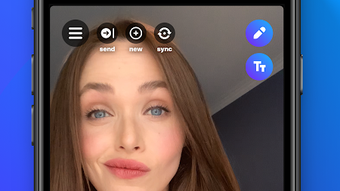
The user interface of VlogEasy is designed with simplicity and efficiency in mind. Navigation is structured around a central timeline where users can view and manipulate video clips. The layout emphasizes accessibility, with clearly labeled buttons for core functions such as trim, crop, and delete. The workflow follows a linear progression: import footage → apply automatic edits → refine manually → export final video.
Based on the current beta status, performance may vary across devices. The developer did not specify resource usage details, so CPU and RAM behavior remain unknown. However, the app’s lightweight size of 30 MB suggests it is optimized for mobile environments. Stability is expected to improve with future updates, as the beta phase allows developers to identify and resolve issues. Users may encounter occasional glitches or delays during processing, especially with longer or higher-resolution clips.
General performance observations are based on typical mobile app behavior. The app appears to handle 4K footage efficiently, though actual processing speed and memory consumption were not disclosed. The interface remains responsive during basic operations, indicating a focus on usability. Users are encouraged to test the app on their devices to assess real-time performance.
Compatibility & System Requirements
VlogEasy is available for both Android and iOS platforms, making it accessible to a broad audience of mobile users. The current version is 1.0.0, and the app size is 30 MB, indicating a compact installation footprint. The developer did not provide detailed system requirements, such as minimum RAM, processor specifications, or supported Android/iOS versions.
Compatibility information is limited to the operating systems mentioned. Users should ensure their device meets the general standards for running modern mobile applications. The app supports the import of 4K video from DSLR cameras, suggesting it is compatible with standard video file formats used in professional and semi-professional recording. However, exact compatibility with specific camera models or file types was not specified.
Installation is straightforward, with no known prerequisites beyond a compatible smartphone or tablet. Users should verify device compatibility before downloading, especially if using older hardware.
Pros and Cons
Pros
- Free to download and use with no hidden costs
- Automatic jump-cut feature significantly reduces editing time
- Supports 4K video import from DSLR cameras
- Intuitive interface suitable for beginners and intermediate users
- Offers a range of editing tools including trim, crop, rearrange, and delete
- Future features promise enhanced creative control and workflow efficiency
Cons
- Currently in beta, which may lead to bugs or instability
- Exact system requirements and performance data were not provided
- Limited information on cloud storage and other upcoming features
- May not support all video formats or camera models
- No offline mode or cloud backup confirmed at this time
FAQ Section
Is VlogEasy available for both Android and iOS?
Yes, VlogEasy is currently available on both Android and iOS platforms.
Is the app free to use?
Yes, VlogEasy is free to download and use with no hidden fees or subscription requirements.
Can I edit 4K videos with VlogEasy?
Yes, the app supports uploading and editing 4K footage captured from DSLR cameras.
Are updates available for VlogEasy?
Yes, the app is under active development and receives regular updates, especially during the beta phase.
Does VlogEasy require an internet connection?
The app functions primarily offline for editing, but certain features like cloud storage and media search may require an internet connection.
Final Thoughts + CTA
VlogEasy delivers a compelling solution for vloggers and content creators seeking a fast, intuitive way to edit videos on mobile. Its automatic jump-cut feature stands out as a game-changer, dramatically reducing the time spent on post-production. While the app is still in beta, its current capabilities—especially 4K support and a clean, functional interface—make it a strong contender in the mobile video editing space.
Creators who value speed, simplicity, and professional results will benefit most from using VlogEasy. The upcoming feature set, including cloud storage, B-roll automation, and music integration, signals a clear vision for growth. Although some limitations exist due to the beta status, the app’s foundation is solid and user-focused.
Download VlogEasy now and transform your raw footage into polished content in seconds.
Guides & Tutorials for VlogEasy APK
How to install VlogEasy APK
- Click the Preview / Download button above.
- Once redirected, accept the terms and click Install.
- Wait for the VlogEasy APK download to finish on your device.
How to use VlogEasy APK
This software is primarily used for its core features described above. Open the app after installation to explore its capabilities.
User Reviews for VlogEasy APK 0
No reviews found





